
AI Skills · Beginner
How to Use ChatGPT Effectively: A Practical Guide for Beginners
August 7, 2026 · 11 min read · by Emmanuel Abou Chabke
Almost everyone has now tried ChatGPT. Far fewer people get consistently useful work out of it. The gap is almost never the model, it is the prompt, the context and the follow-up. This guide gives you the exact structure that turns bland, generic replies into output you can actually send, publish or hand to a client, plus ten copy-paste prompts and the mistakes that quietly waste your time.
Quick Answer
To use ChatGPT effectively, stop asking questions and start giving briefs. Every strong prompt contains five things: a role, a task, the context the model cannot guess, the format you want back, and constraints on what to avoid. Then refine in the same conversation rather than starting over, and verify every fact before you use it. If you want the whole workflow taught step by step with reusable prompts, a portal and a certificate, take Chapter 1 | Best AI Tools for Beginners (3 free minutes every month, no card needed).
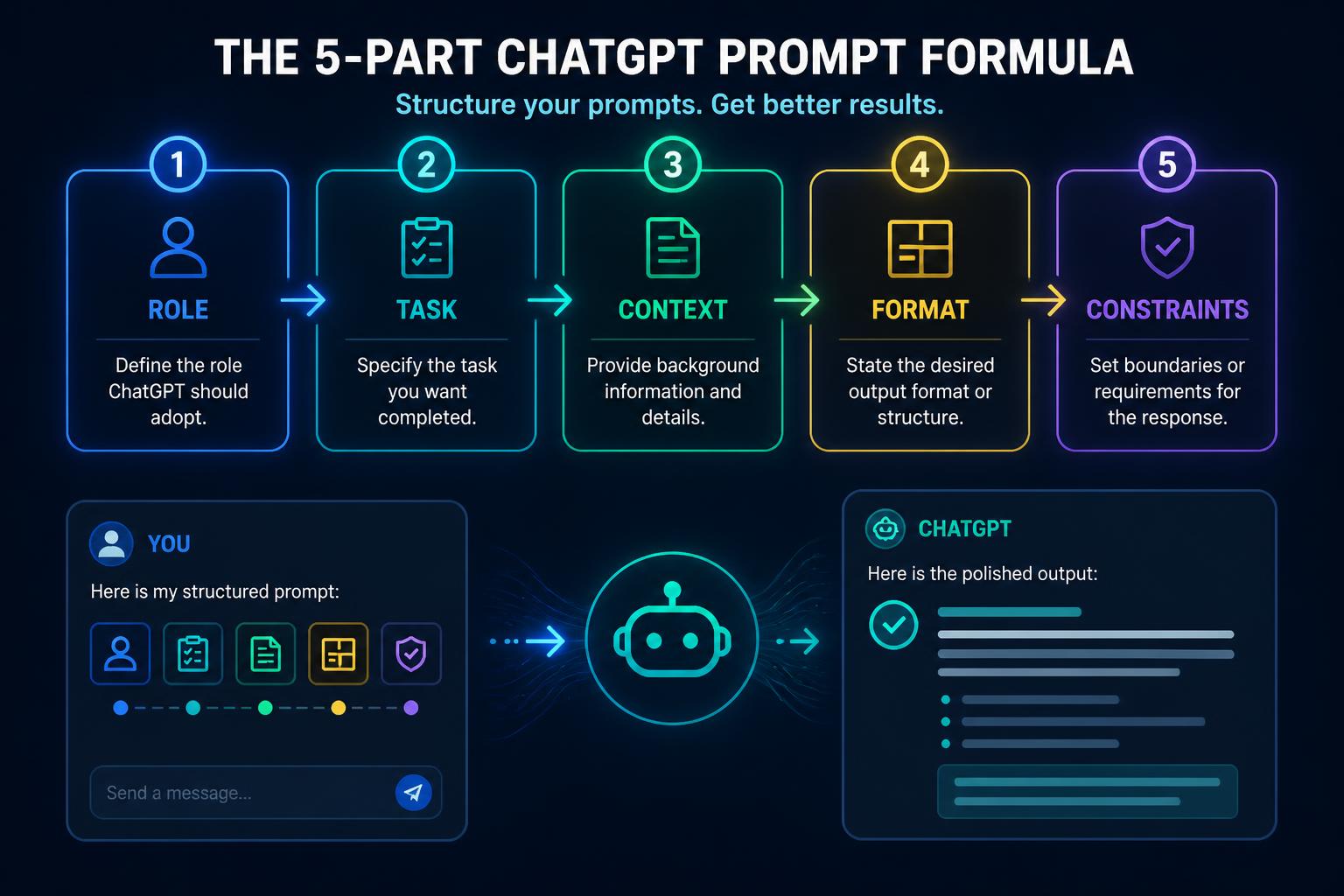
The 5-Part Prompt Formula
This is the single highest-leverage change most people can make. Compare these two prompts:
Weak: “Write a marketing email for my product.”
Strong: “You are a direct-response copywriter. Write a 130-word email to existing customers of a Cyprus-based online AI course, announcing Chapter 2. Audience: non-technical adults aged 30–55 who already bought Chapter 1. Tone: warm, plain English, no hype. Output: subject line options (3), then the email body, then one call to action. Do not use emojis or exclamation marks.”
The second one works because it contains all five parts:
- Role | who ChatGPT is being. This sets vocabulary, depth and default assumptions.
- Task | one sentence saying exactly what to produce, with a length.
- Context | audience, product, background, source material. The part people skip.
- Format | bullets, table, script, JSON, headings. Saves an entire editing round.
- Constraints | what to avoid. Negative instructions do a lot of work.
You do not need this for “what is the capital of Peru”. You need it for anything you will actually use.
Why Context Beats Clever Wording
People hunt for “magic prompts”. In practice, the biggest quality jump comes from pasting in real material: your previous emails, the meeting transcript, the product page, the client brief, the dataset, the failing code. ChatGPT is far better at transforming information you give it than at inventing information you did not.
A useful rule: if a competent freelancer would need it to do the job, ChatGPT needs it too. A freelancer would not write your announcement email without seeing your product. Neither should the model.
Iterate Instead of Restarting
The second-biggest mistake is abandoning a chat when the first answer disappoints. The first answer is a draft. Treat the conversation as an editing session and steer it:
- “Too formal. Rewrite it the way I would explain it to a friend.”
- “Keep the structure, cut it to 90 words.”
- “Rewrite section 2 only. Leave everything else untouched.”
- “Give me three versions: safe, bold, and funny.”
- “What did I not tell you that would make this better?”
That last one is underrated. Asking ChatGPT what context is missing routinely surfaces the detail that was holding the output back.
10 Prompts Worth Stealing
Copy these, replace the placeholders, and keep the ones that work for you.
1. Turn a messy brain-dump into a clean email
You are a professional business writer. Turn the notes below into a clear, polite email of under 150 words to a client. Keep my meaning, remove repetition, no jargon, no emojis. End with one clear next step.

Notes: <paste>
2. Summarise a long document into decisions
You are an executive assistant. Read the text below and give me: (1) a 3-sentence summary, (2) the 5 key facts with numbers, (3) any decisions I need to make, (4) anything unclear or missing. Use headings and bullets.

Text: <paste>
3. Learn any topic at your level
Explain <topic> to me as if I have zero background but I am intelligent. Use one everyday analogy, then the real definition, then three examples, then three questions to test whether I understood. Keep it under 400 words.
4. Get ChatGPT to interview you first
I want you to help me write <thing>. Before you write anything, ask me up to 7 questions you need answered to do this well. Ask them one at a time and wait for my answer.
5. Copy your own writing voice
Here are three samples of my writing. Analyse them and describe my style in a set of rules (sentence length, tone, vocabulary, punctuation habits, what I never do). Output the rules only, I will reuse them later.

Samples: <paste>
6. Pressure-test an idea
You are a sceptical investor. Here is my idea: <idea>. Give me the 5 strongest reasons it fails, the assumptions I have not tested, and the cheapest experiment to validate it this week. Be blunt.
7. Compare options in a table
Compare <A>, <B> and <C> for someone who is <context>. Output a markdown table with columns: option, best for, main strength, main weakness, cost, verdict. Then one paragraph naming your recommendation and why.
8. Repurpose one piece of content
Take the article below and produce: a LinkedIn post (under 120 words), 5 tweet-length lines, a 30-second video script with a hook, and 3 title options. Match the tone of the original.

Article: <paste>
9. Fix and explain, not just fix
Here is something that is not working: <paste>. Tell me what is wrong, why it is wrong, the corrected version, and one rule I should remember so I do not repeat it.
10. Build a reusable template
Based on our conversation, write me a reusable prompt template for this exact task, with <PLACEHOLDERS> where I should paste new information. Output only the template.
7 Mistakes Beginners Make
- One-line prompts. Vague in, vague out. Add role, context and format.
- Trusting facts without checking. Statistics, citations, quotes and links can be invented.
- Starting a new chat for every tweak. You throw away the context you just built.
- Pasting confidential data. Strip names, emails, account numbers and client details unless your workplace policy allows it.
- Accepting the first draft. Two rounds of feedback usually doubles the quality.
- Asking for “ideas” with no constraints. Constraints are what make ideas usable.
- Never saving what worked. Every good prompt you do not save is work you will redo.
How to Verify What It Tells You
ChatGPT produces fluent text whether or not it is correct, so fluency is not evidence. Before you use anything externally, run this check:
- Numbers and dates | confirm from a primary source, not the model.
- Names and quotes | search the exact phrase; if it does not exist, it was invented.
- Links | open every one. Plausible-looking dead URLs are common.
- Legal, medical, tax or financial claims | never publish without a qualified human.
- Code | run it. Read it. Do not deploy what you cannot explain.
A simple habit: ask “Which parts of this answer are you least confident about?” It will usually point straight at the parts you need to check.
Build a Prompt Vault
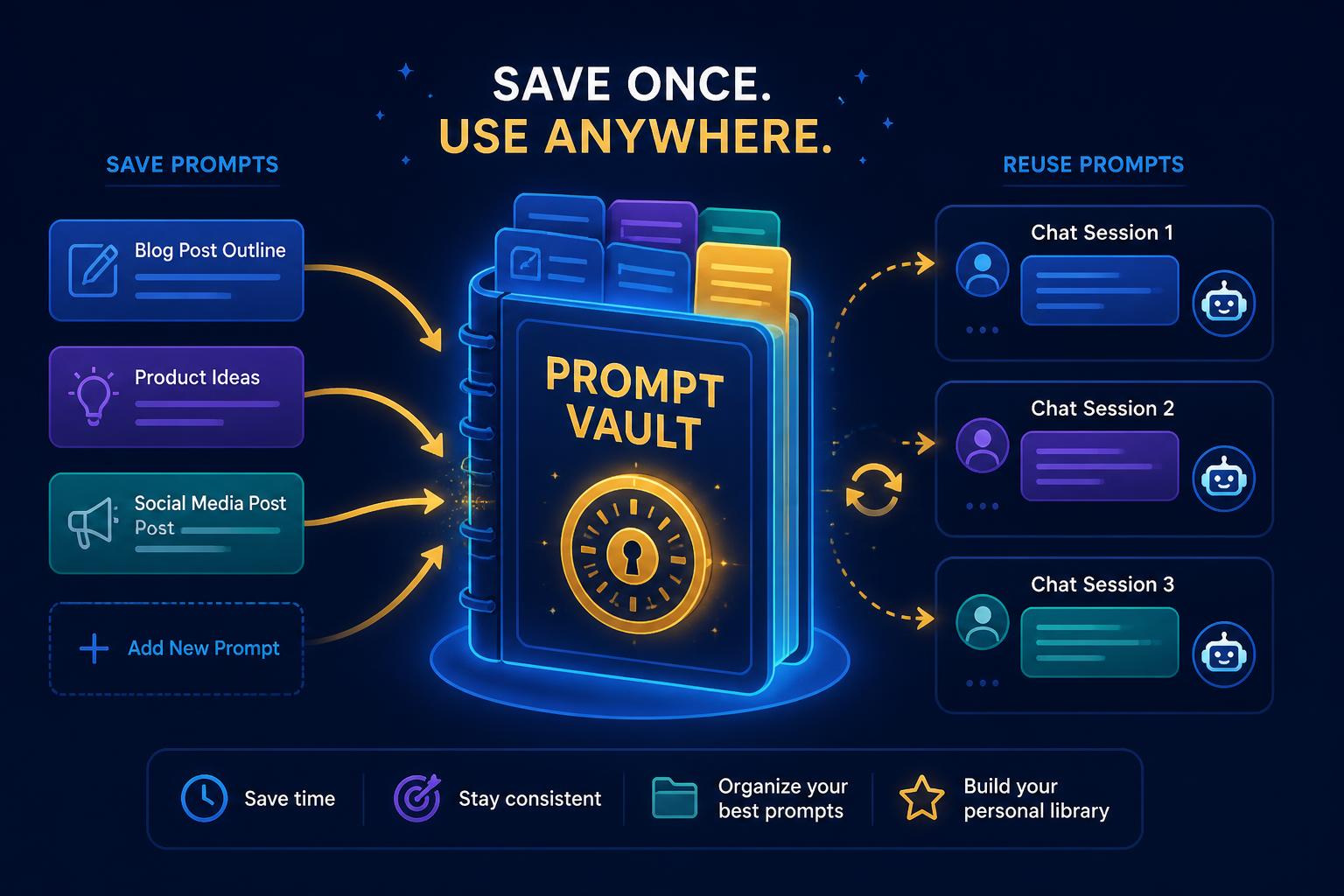
The people who get the most out of ChatGPT are not the ones who write the cleverest prompt once, they are the ones who reuse the same twenty prompts every week. Keep a note, doc or dedicated prompt vault, and after any session that went well, ask ChatGPT to turn it into a reusable template (prompt 10 above). Within a month you will have a personal toolkit no generic prompt list can match.
Your First Week With ChatGPT
- Day 1–2: rewrite three real emails using the 5-part formula. Compare with your own drafts.
- Day 3: summarise a long document into decisions (prompt 2).
- Day 4: teach yourself something new with prompt 3, then test yourself.
- Day 5: extract your writing voice with prompt 5 and save the rules.
- Day 6: pressure-test a real idea or plan with prompt 6.
- Day 7: convert your three best sessions into templates and start your vault.
Seven days of real use beats seven hours of watching tutorials. If you want to go further, our four-week AI roadmap and guide to using AI at work pick up exactly where this leaves off.
The Shortcut: Chapter 1
If you would rather be shown than read, Chapter 1 | Best AI Tools for Beginners walks through ChatGPT and the other core tools on screen, with the prompting workflow above applied to real tasks, a learner portal and a certificate at the end. Chapter 2 then moves into applying it to marketing and content, and the bundle covers both. Every chapter gives you 3 free minutes per month to preview, and you can top up whenever you want, so you can check the teaching style before paying anything.
Frequently Asked Questions
What is the best way to use ChatGPT as a beginner?
Give ChatGPT a role, a clear task, the context it needs, the output format you want and any constraints. Then iterate: tell it what to change instead of starting a new chat. Most beginner frustration comes from one-line prompts with no context.
Why does ChatGPT give me generic answers?
Because generic prompts get generic answers. If you do not tell it who the audience is, what tone to use, how long the answer should be and what to avoid, it defaults to safe, average writing. Add examples of what good looks like and the quality jumps immediately.
How long should a ChatGPT prompt be?
Long enough to remove ambiguity, usually 3 to 10 lines for real work. Short prompts are fine for quick lookups, but for anything you will send to a client or publish, include role, task, context, format and constraints.
Does ChatGPT make things up?
Yes. It can produce confident but wrong facts, statistics, citations, quotes and links. Always verify names, numbers, dates, laws and sources before using them. Treat it as a fast first-draft assistant, never as a source of truth.
Should I use the free or paid version of ChatGPT?
The free tier is enough to learn on and covers most beginner tasks. Upgrade only when you hit real limits, longer documents, file analysis, image work or heavy daily use. Learn the skill first; the skill matters more than the plan.
Is it better to start a new chat or keep going in the same one?
Stay in the same chat while you are refining one piece of work, so ChatGPT keeps your context. Start a new chat when you switch to an unrelated task, otherwise old context leaks into new answers.
How do I get ChatGPT to write in my own voice?
Paste two or three samples of your own writing and ask it to describe your style rules, then save that description and reuse it at the top of future prompts. Style transfer works far better from examples than from adjectives.
What is the fastest way to actually get good at ChatGPT?
Use it daily on one real task for two weeks and save every prompt that works. If you want that compressed, Market Me Global's Chapter 1 walks through the tools and prompting workflow step by step, and you get 3 free minutes of each chapter every month to preview it.
Key Takeaways
- Brief, don't ask. Role, task, context, format, constraints, every time.
- Context is the multiplier. Paste the real material instead of hunting for magic words.
- Refine in place. The first answer is a draft, not a verdict.
- Verify anything factual. Fluency is not accuracy.
- Save your winners. A prompt vault compounds; one-off cleverness does not.
- Want it taught? Chapter 1 shows the whole workflow on real tasks.
Try one prompt right now
Pick a task you already have on your plate today, run it through the 5-part formula, and save the prompt that works. That single habit is most of the skill.